IDDSI Levels on Every Texture and Liquid You Serve
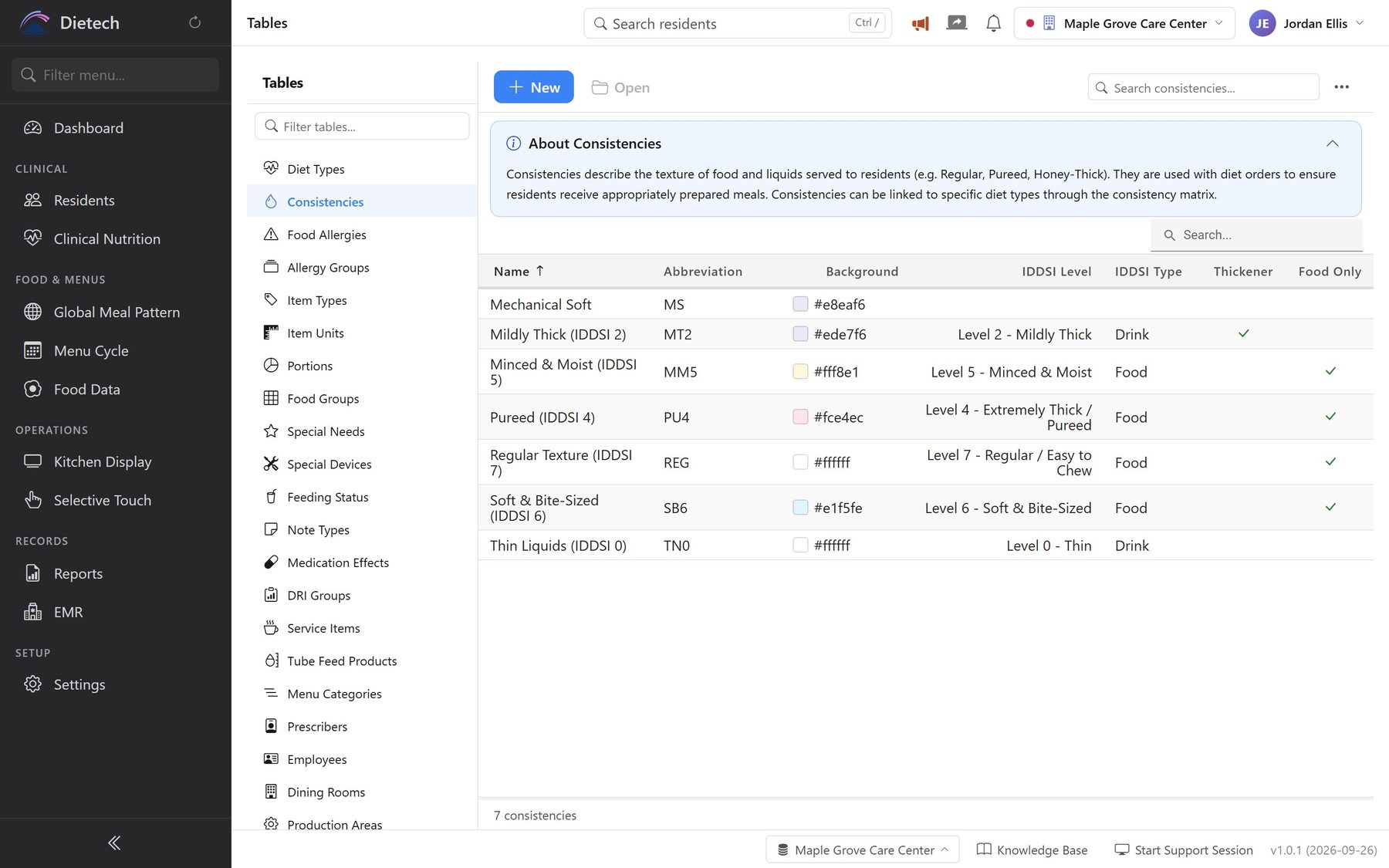
Dietech maps each texture and liquid consistency your facility uses to its IDDSI level, 0 to 7, and marks it as food, drink, or both. The resident's texture then travels with the diet order: through the menu cycle, the order, the kitchen display, and the tray ticket.
The eight IDDSI levels
Drinks run from 0 to 4 and foods from 3 to 7. Levels 3 and 4 describe both a drink thickness and a food texture.
- 0ThinDrink
- 1Slightly ThickDrink
- 2Mildly ThickDrink
- 3Moderately Thick / LiquidisedDrink and food
- 4Extremely Thick / PureedDrink and food
- 5Minced & MoistFood
- 6Soft & Bite-SizedFood
- 7Regular / Easy to ChewFood
Where the texture shows up
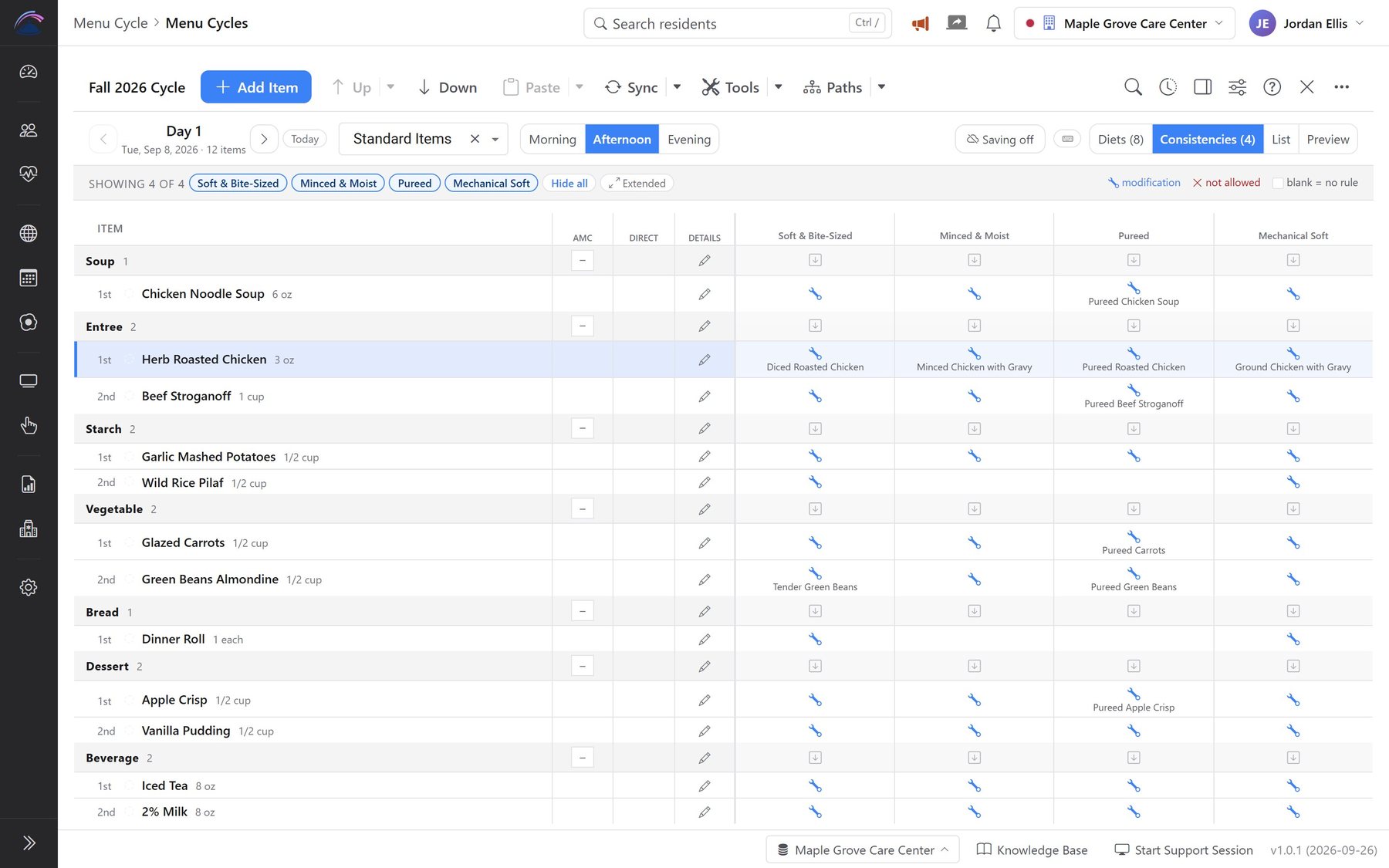
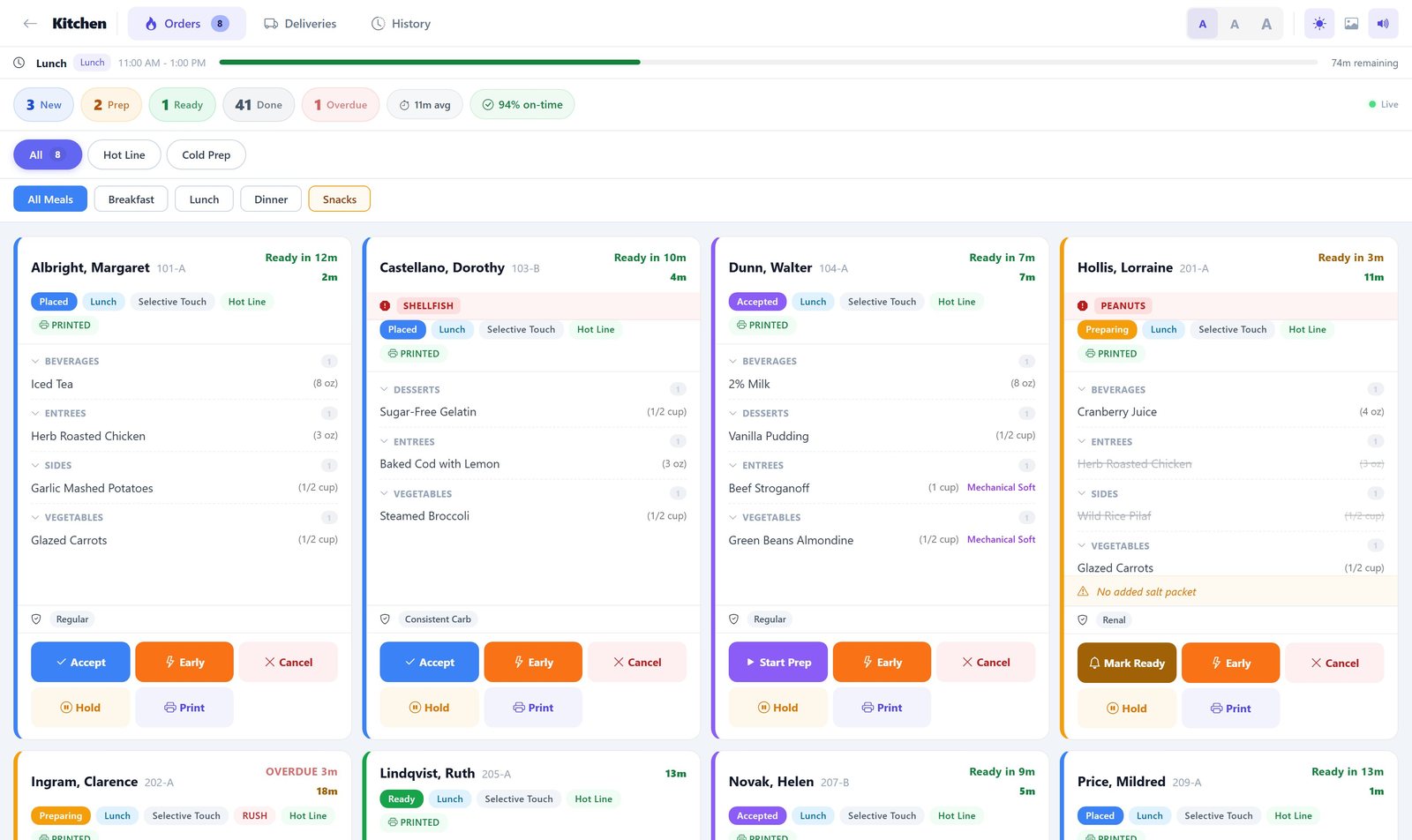
Real screens from Dietech, shown with sample residents and a sample menu.
What Dietech does with IDDSI
| Capability | How it works |
|---|---|
| IDDSI level per consistency | Each texture and liquid consistency the facility uses is mapped to its IDDSI level, 0 to 7 |
| Food, drink, or both | Each consistency is marked as a food texture, a drink thickness, or both, matching how IDDSI levels 3 and 4 apply to either |
| Keep your own names | Facilities keep the texture names their staff already use; the IDDSI level sits alongside the name rather than replacing it |
| Gaps are visible | A consistency with no IDDSI level shows a blank in the table, so unmapped textures are easy to find and fix |
| Thickened liquids | Liquid consistencies can be flagged as thickened, separately from the food textures |
| Texture follows the order | The resident's texture and liquid consistency sit on the diet order, drive which items and substitutions the menu cycle gives them, and print on the tray ticket |
Frequently asked questions
Does Dietech support IDDSI?
Yes. Every texture and liquid consistency in Dietech can be mapped to its IDDSI level, from 0 (Thin) to 7 (Regular / Easy to Chew), and marked as a food texture, a drink thickness, or both. The resident's texture and liquid consistency are part of their diet order, so the same texture carries through the menu, the order, the kitchen display, and the tray ticket.
Do we have to rename our textures to the IDDSI names?
No. Facilities can keep the names their staff already know, such as Mechanical Soft, and map each one to its IDDSI level, or rename them to the IDDSI terms. Dietech supports either approach.
How do we find textures that are not mapped yet?
The consistencies table lists the IDDSI level beside every texture and liquid. Anything without a level shows a blank, so a dietary manager can see the gaps at a glance and fill them in.
How are texture-modified menus handled?
The menu cycle is planned once, and each item is set for every diet and texture: served as is, excluded, or replaced with a substitute such as a minced or pureed version. When a resident on a texture-modified diet orders, their menu already reflects those substitutions.
Related capabilities
See your textures mapped to IDDSI
Bring your list of textures and liquid consistencies, and we will map them to IDDSI levels with you during the demo.
Screens shown with sample residents and a sample menu.