Hospital Food and Nutrition Services, From the Diet Order to the Bedside
Dietech runs hospital food service end to end. Diet orders arrive from the EMR over HL7 or FHIR R4, patients order room service from a bedside screen or their own phone, the tray line works from a live kitchen display, and each tray is verified at the bedside by scanning the wristband against the tray ticket.
How a hospital meal actually moves
Six handoffs, each of which is a place where the wrong tray reaches the wrong patient if the systems do not talk.
- 1
The admission reaches the diet office
Patient demographics and diet orders arrive from the EMR over HL7 ADT and order messages, or through a FHIR R4 interface. The diet office does not retype what the unit already entered.
- 2
The patient orders
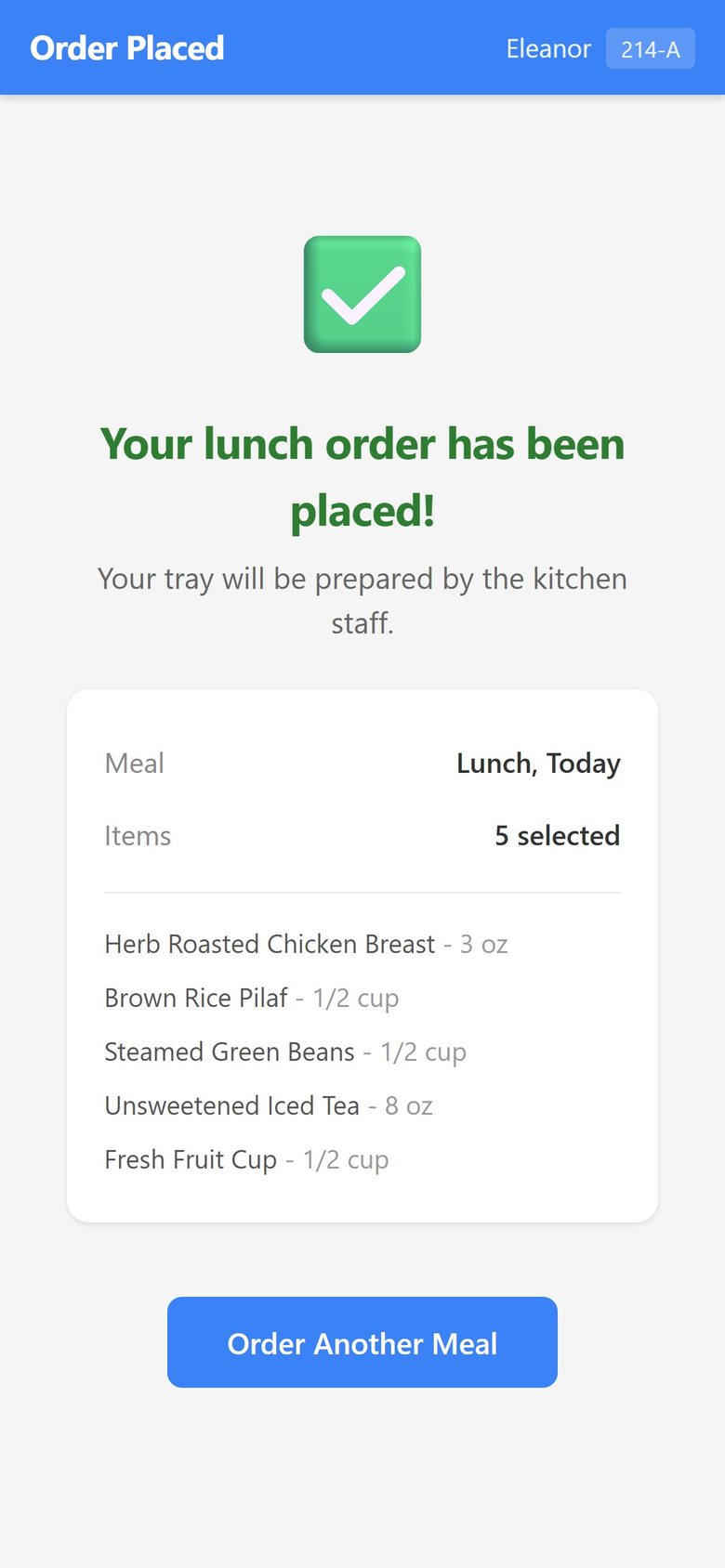
Room service ordering by phone, by the patient on their own device, or on a bedside screen. Every menu is built against the active diet order, texture requirement, and allergy record.
- 3
The kitchen sees it live
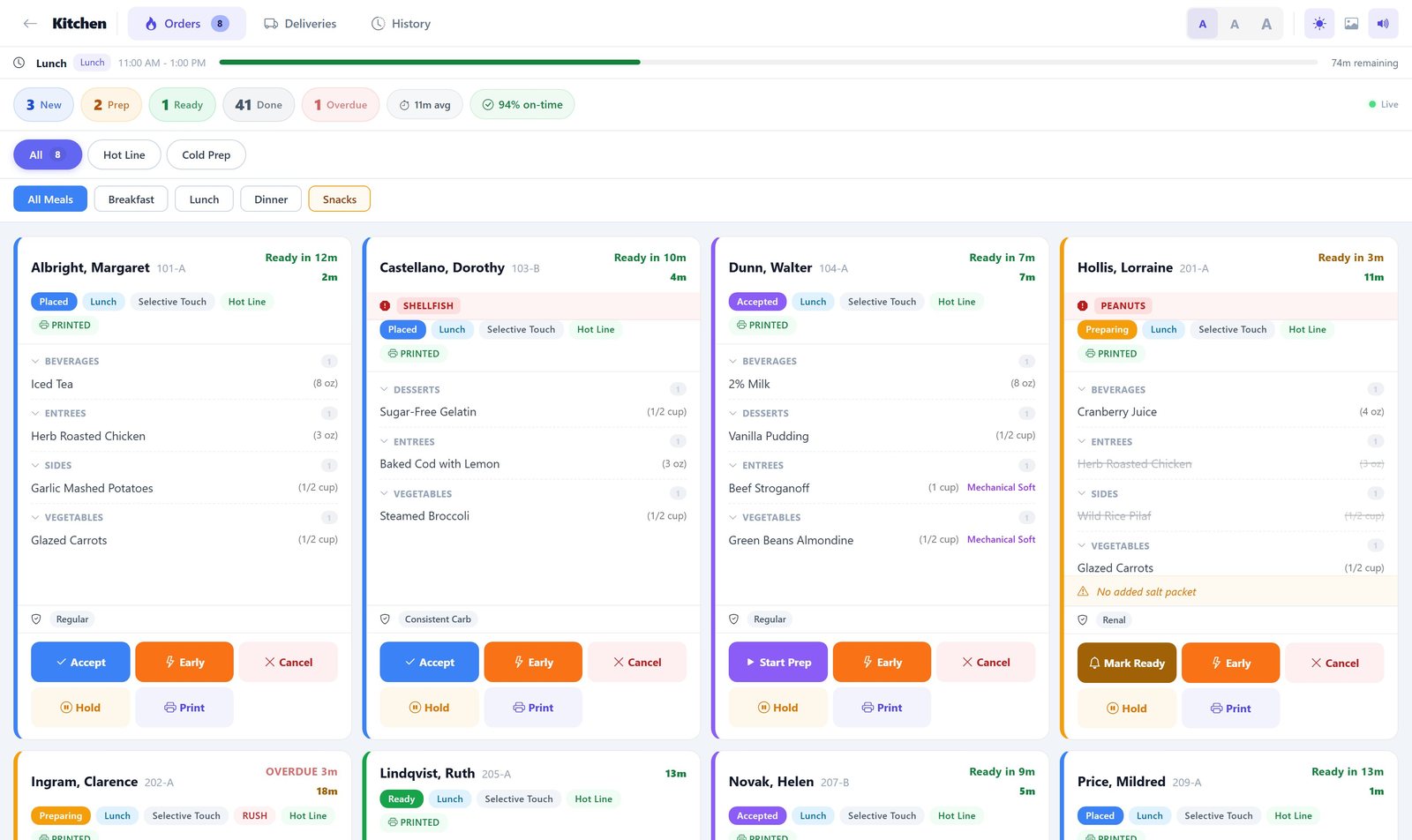
Orders reach the tray line on the kitchen display grouped by service window, colour coded by diet, with late diet changes appearing without a reprint.
- 4
The tray is verified at the bedside
The runner scans the patient wristband and the tray ticket. Only a genuine match records the delivery as scan verified; signature, verbal, and left at door remain available where scanning is not possible.
- 5
Clinical nutrition documents
Dietitians work assessments, intake studies, tube feeding, and weight tracking in the same system that holds the meal record, so intake data and clinical notes are not in separate places.
- 6
Purchasing and cost follow
Production drives purchasing, inventory, and invoice matching, with GPO and contract pricing applied so food cost per patient day is measured rather than estimated.
On the tray line
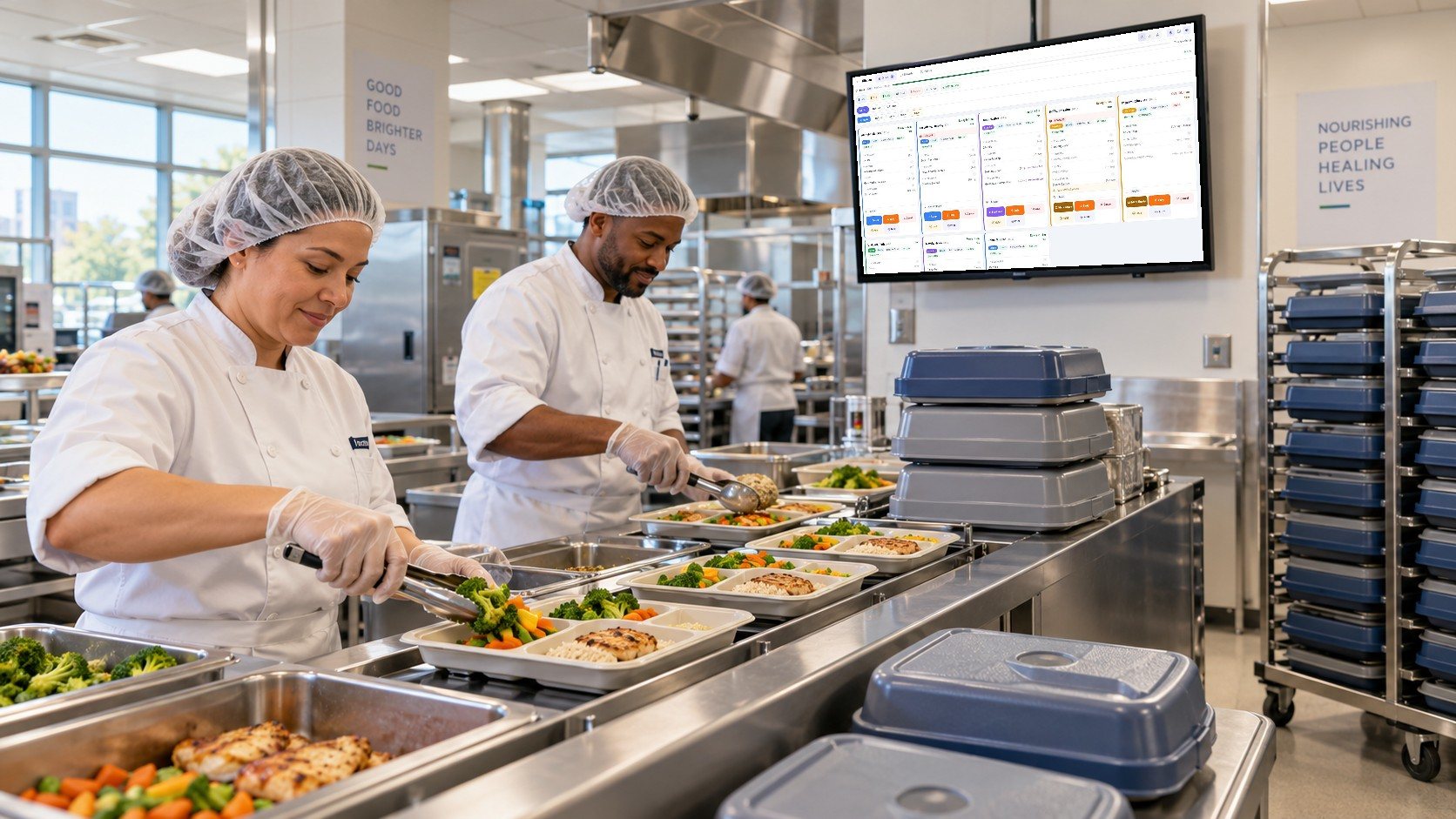
The tray line works from one live screen
Orders from the diet office, bedside screens and patients' phones land on the kitchen display as they are placed. Cooks see what is due next, with the diet, texture and allergies on every card.
- A countdown to each tray's target time
- Allergies in a red banner on the card
- Late and rush trays stand out
The hospital workflow, screen by screen
Real screens from Dietech, shown with sample patients and a sample menu.
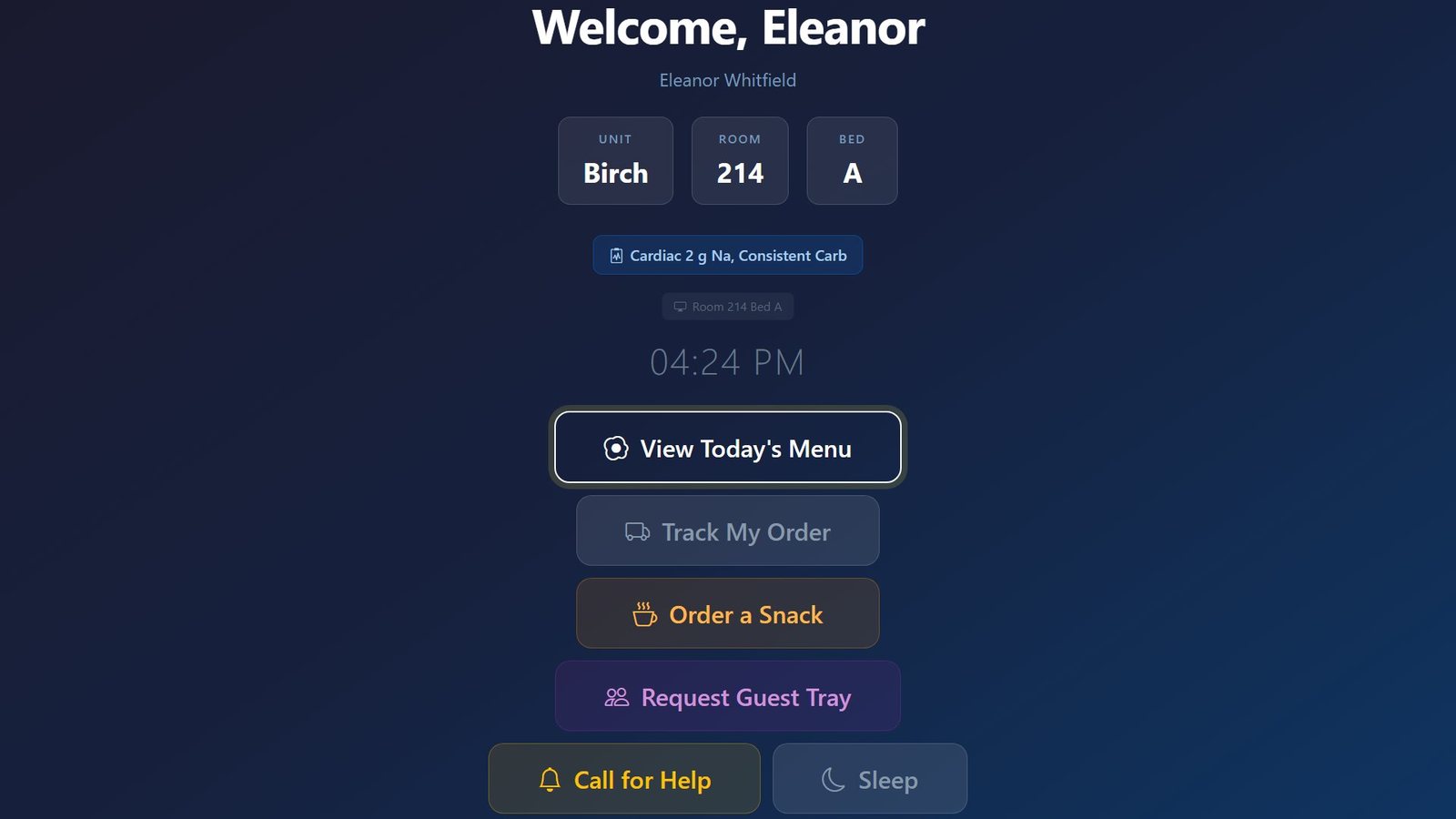
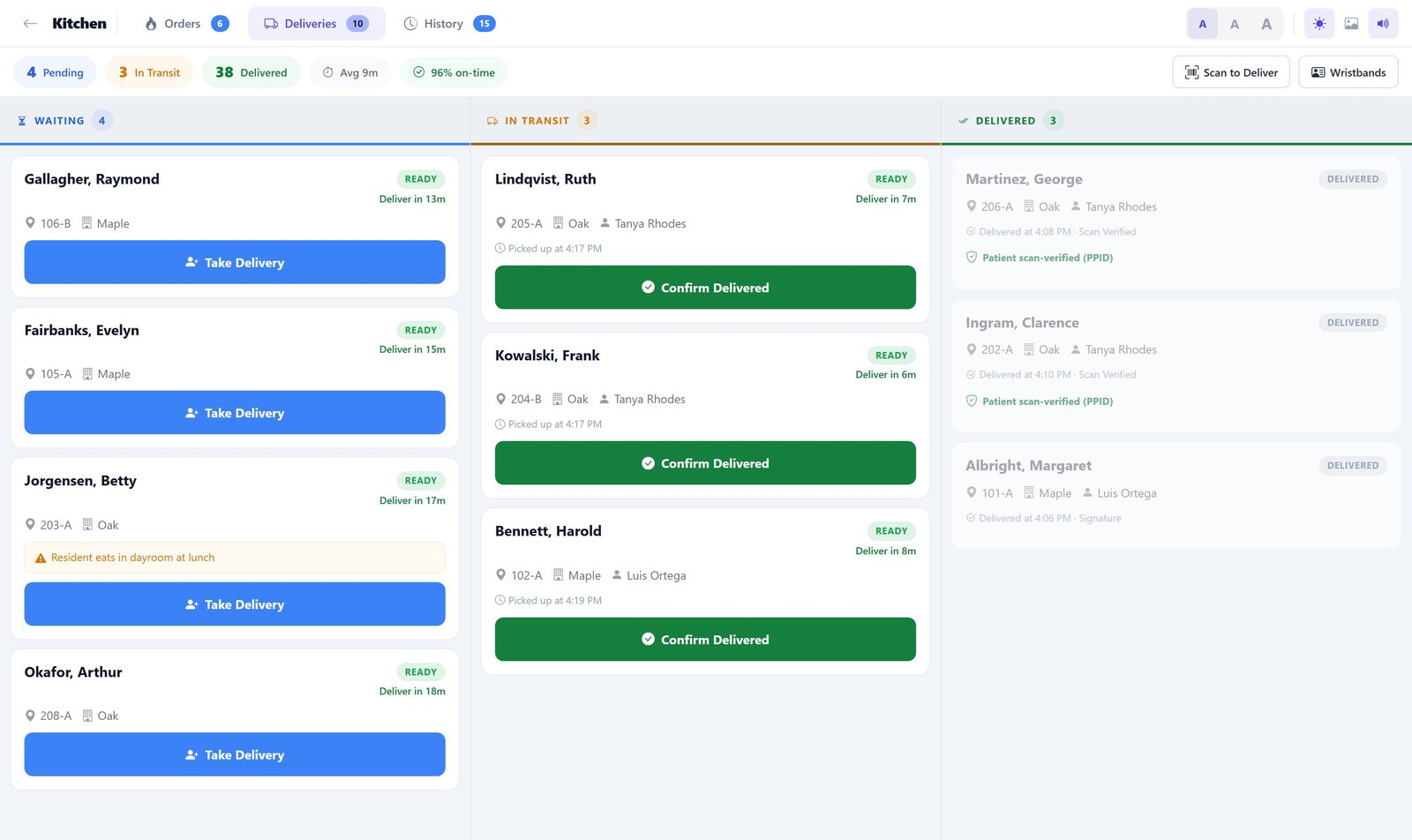
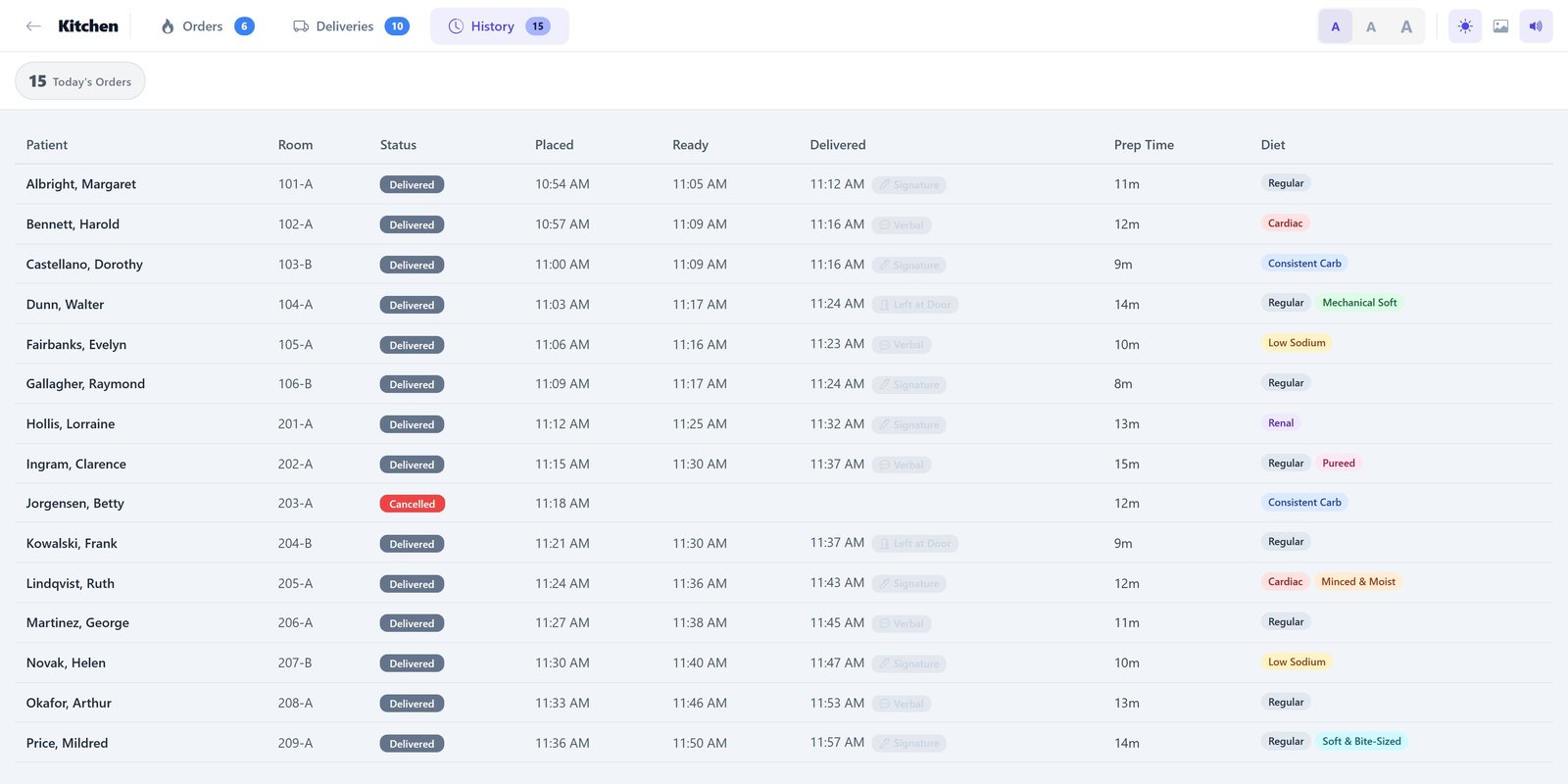
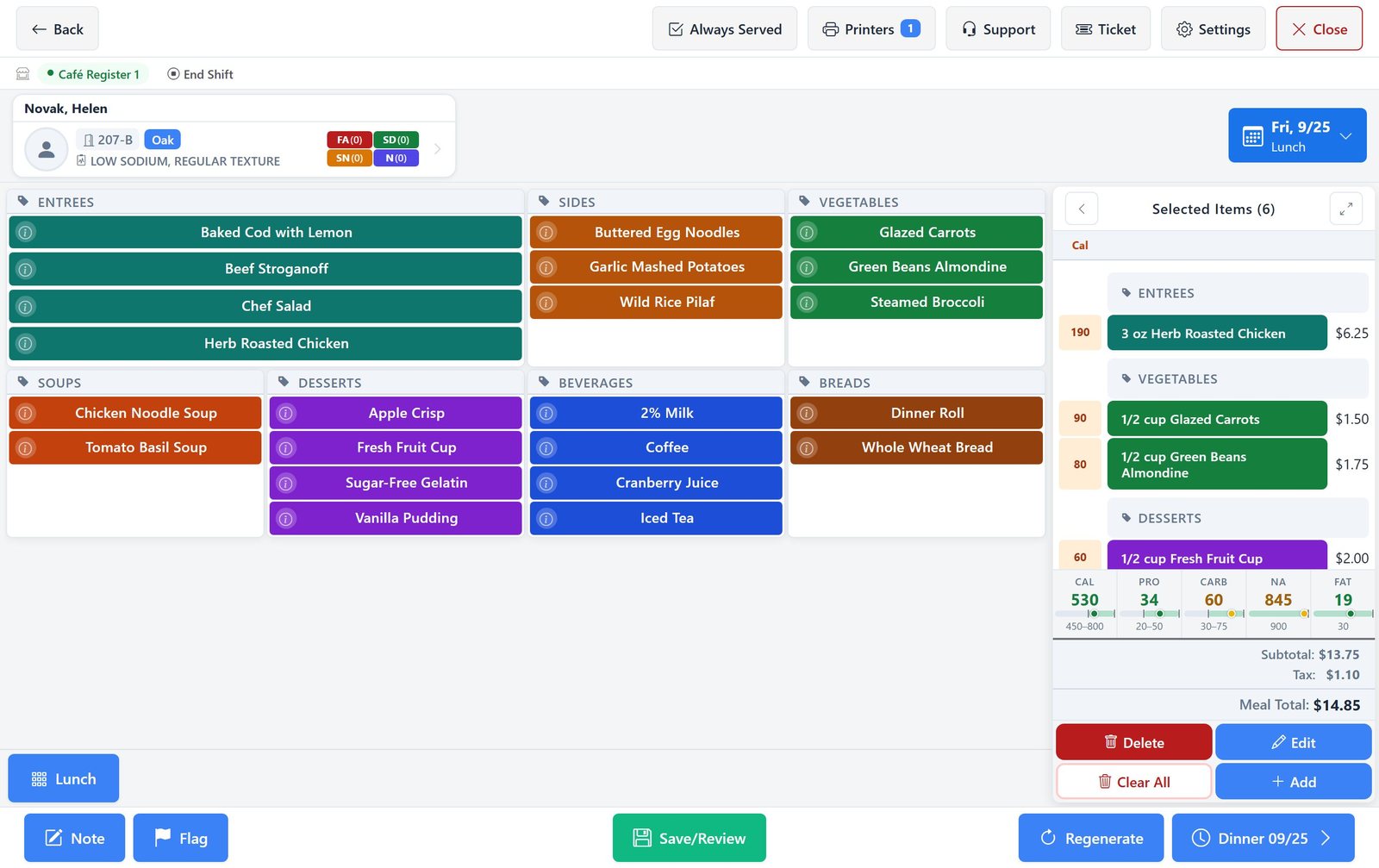
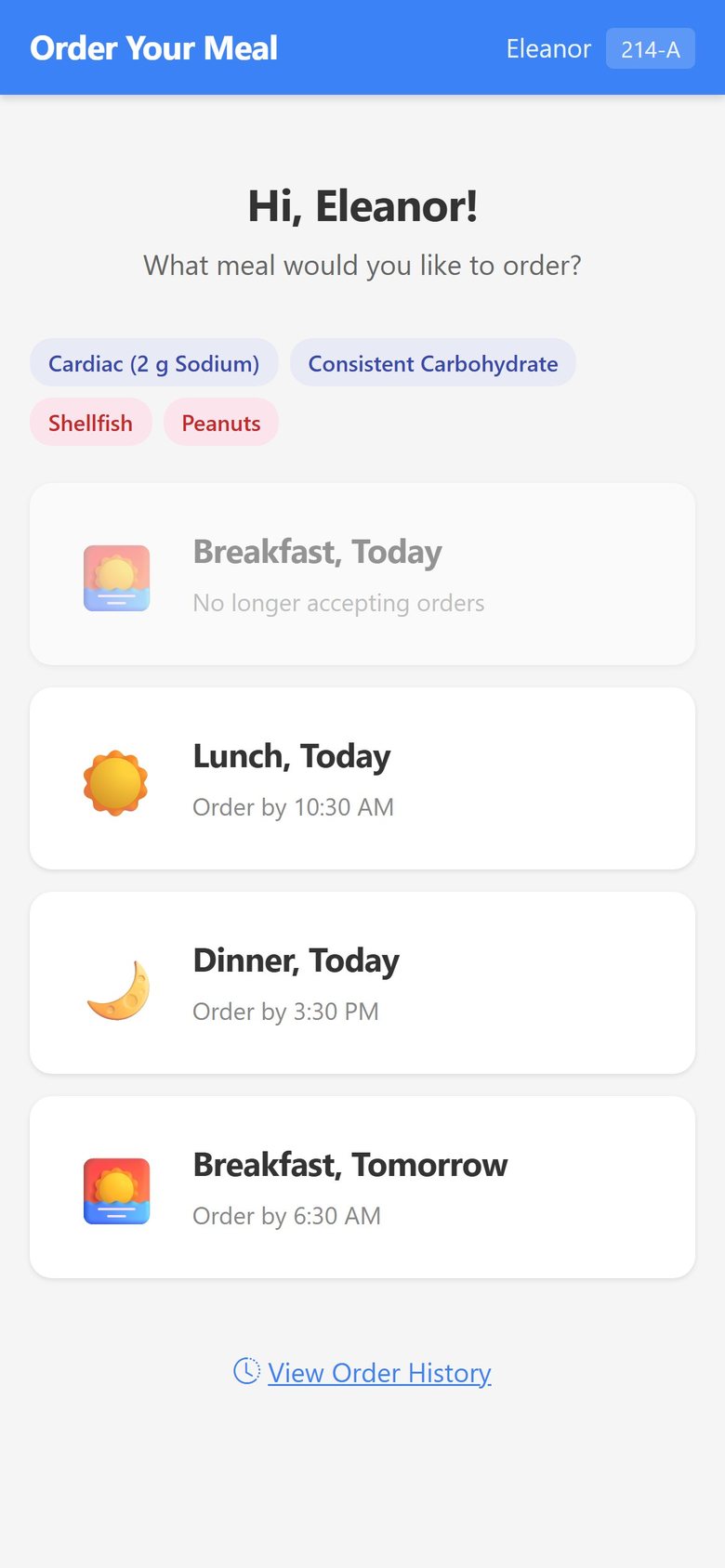
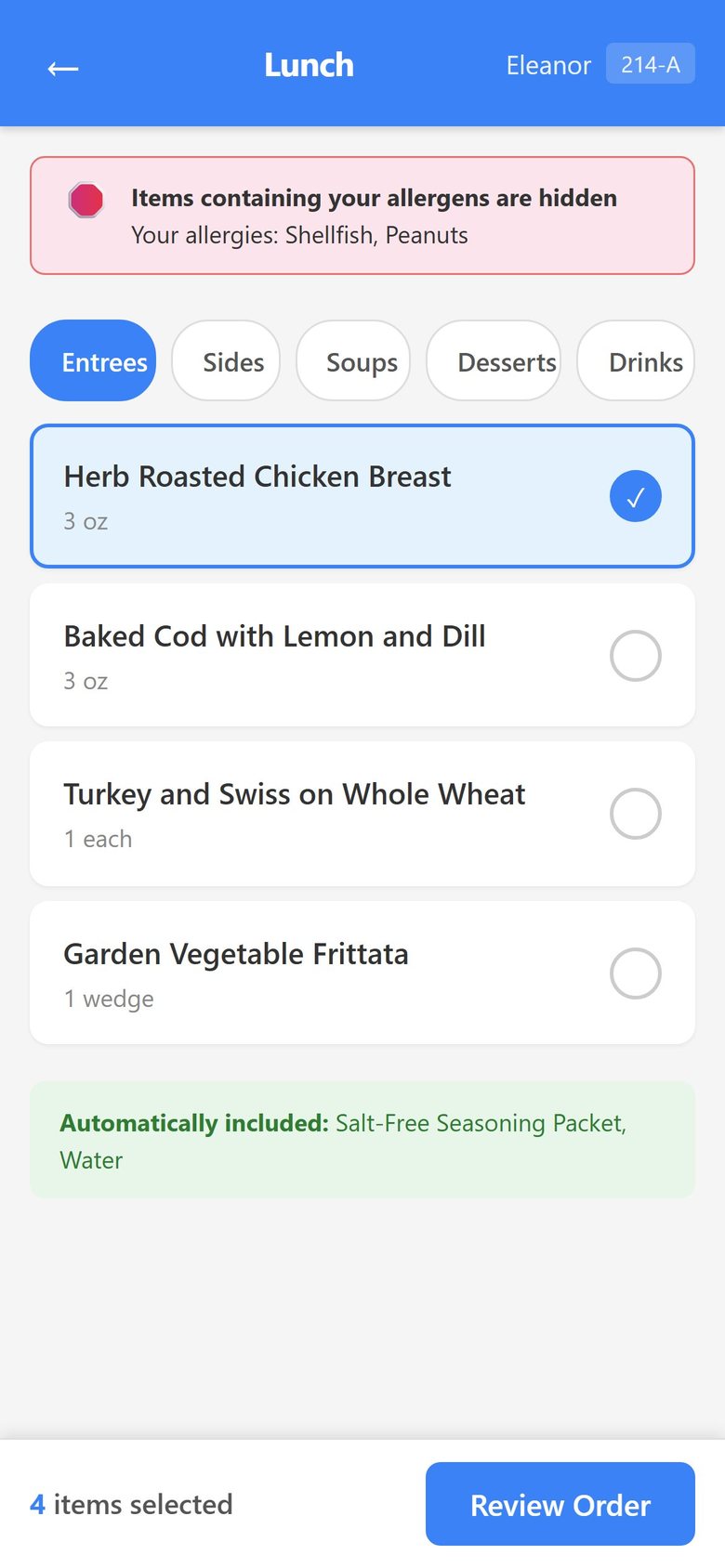
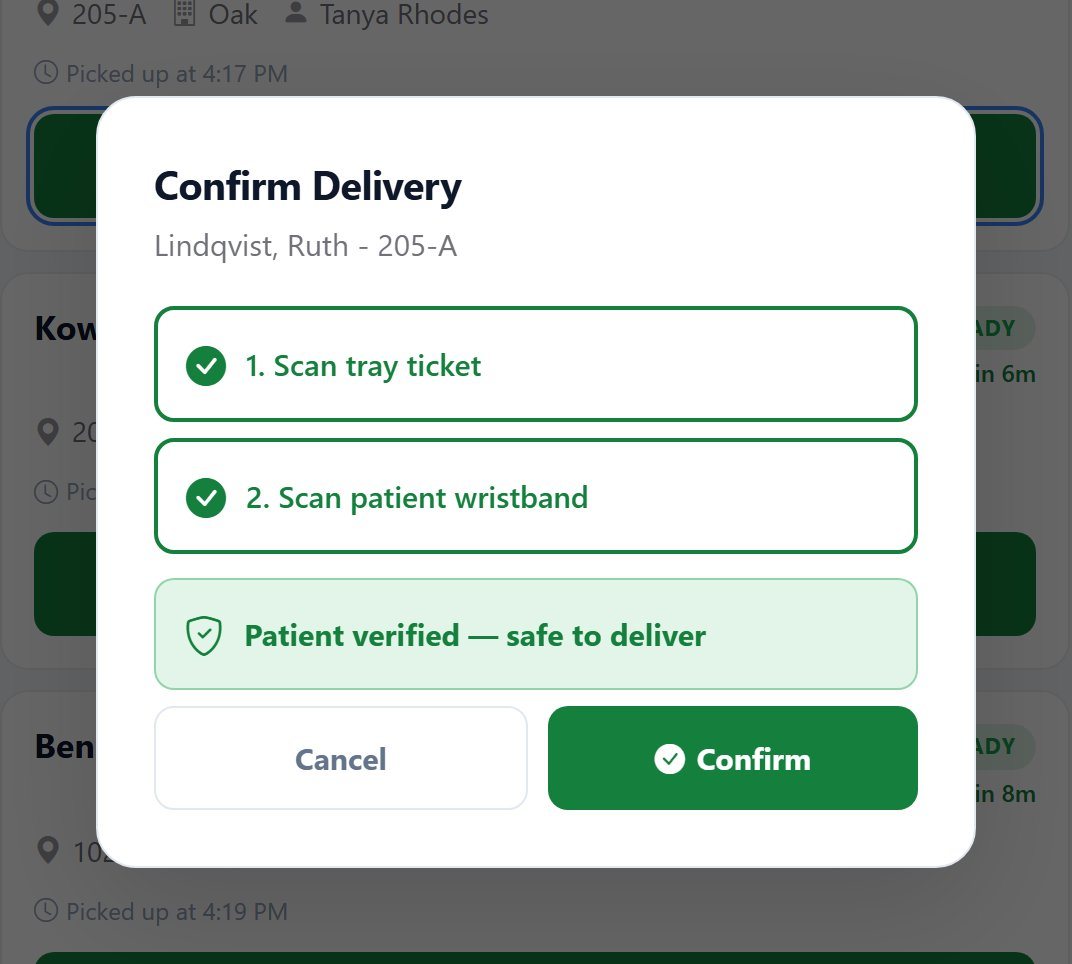
Two scans before a tray is handed over
At the bedside the runner scans the tray ticket and then the patient's wristband. The delivery is confirmed only when both belong to the same patient.
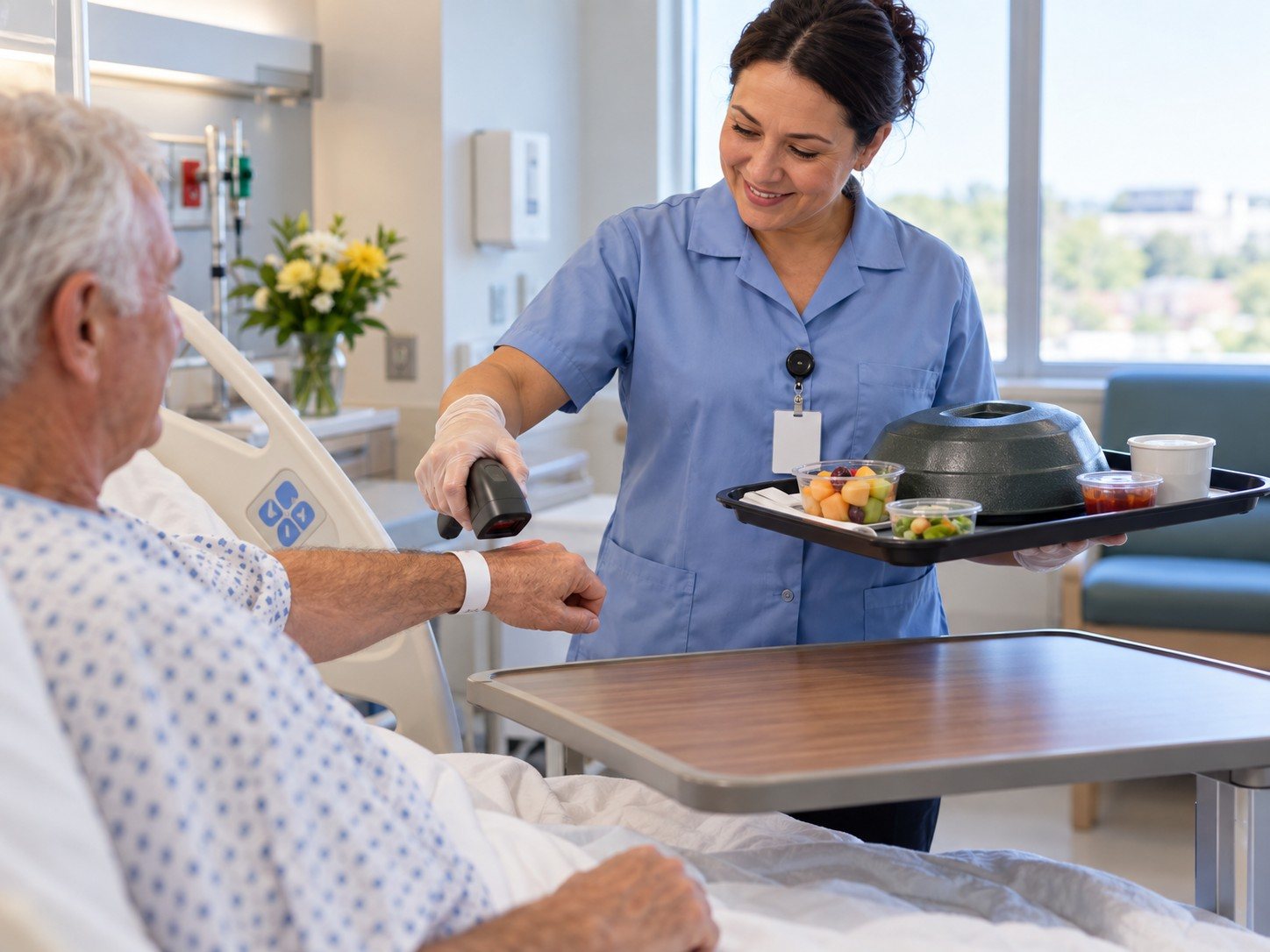
Checked at the bedside, not just the tray line
The runner scans the patient's wristband and the tray ticket before handing the tray over, so a tray that was built correctly still cannot reach the wrong room.
Built for every role in food and nutrition services
Diet office
Keeps every patient's diet order current as it changes through the day.
- Diet orders arrive from the EMR over HL7 or FHIR R4
- Diet order and allergy changes flagged on the dashboard
- Menus built to what each patient may have
Tray line and kitchen
Works from a live board instead of a stack of paper tickets.
- Every order as a card with a countdown
- Allergies and textures on the card
- Hold, reprint, or cancel with a reason
Tray runners
Know which trays are ready and prove each one reached the right patient.
- Delivery board by unit and room
- Two-scan wristband check at the bedside
- Confirmation recorded on every tray
Patients
Choose their own meals, within what their diet order allows.
- Bedside screen or their own phone
- Menu filtered to their diet
- Track the tray after ordering
Clinical dietitians
See the patients who need attention without hunting for them.
- Weight alerts and assessments due
- Nutrient totals as meals are chosen
- Allergies and never-serve items on the record
Cafeteria
Runs the staff and visitor register on the same system.
- Touchscreen point of sale
- Employee and guest meals
- Register shifts and totals
What hospitals run on Dietech
Patient trays, retail food service, clinical nutrition, and purchasing on one platform.
| Capability | Detail |
|---|---|
| EMR integration | HL7 ADT, ORM, ORU, and SIU message handling for admissions, transfers, discharges, and diet orders |
| FHIR & SMART | FHIR R4 interfaces and a SMART on FHIR launch handler, so clinicians can launch Dietech in context from the EHR |
| Interoperability standards | USCDI v3 data classes, with Epic and Cerner PowerChart among the EHR environments addressed |
| Room service ordering | Patient self-order by link, bedside screens, and staff-taken orders, all constrained by the active diet order |
| Kitchen display | Live tray line display with service windows, diet colour coding, and a delivery board for tray tracking |
| Patient identification | Two-scan wristband and tray ticket verification, with wristbands carrying the Dietech key or the hospital MRN |
| Cafeteria point of sale | Employee and guest sales, shift management, meal rates, and payment handling on the same platform |
| Clinical nutrition | Nutritional assessments, intake studies, tube feeding protocols, weight tracking, and plan of care documentation |
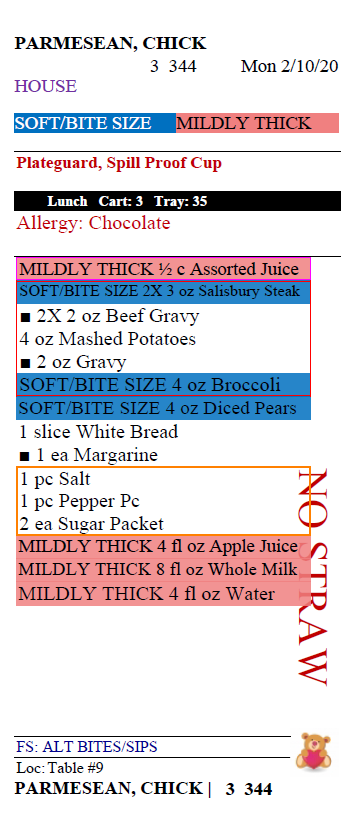
| Texture & IDDSI | IDDSI texture and fluid consistency levels mapped to every consistency, applied to each patient's menu, and printed on tray tickets |
| Purchasing & inventory | Order guides, EDI catalogues and invoice matching, GPO and contract pricing, par optimisation, and menu costing |
| Multi-site | Corporate dashboards and per-facility drill-down for health systems running several hospitals |
Frequently asked questions
Room service, EMR integration, patient identification, and clinical nutrition.
What is hospital room service software?
Room service software lets an inpatient order meals on demand within their prescribed diet, rather than receiving a pre-selected tray on a fixed schedule. It has to hold the active diet order, filter the menu to what the patient may safely have, get the order to the kitchen in time for the next service window, and track the tray to the right bed. Dietech covers all four, including bedside and patient-device ordering and delivery verification by wristband scan.
How does Dietech receive diet orders from our EMR?
Through HL7 messaging (ADT for admissions, transfers and discharges, and order messages for diet orders), or through FHIR R4 where the EHR supports it. Dietech also implements a SMART on FHIR launch handler, so clinicians can open it in patient context from within the EHR. The practical effect is that a diet order entered once on the unit reaches the diet office and the tray line without being retyped.
Does Dietech work with Epic and Cerner?
Dietech's FHIR R4 and SMART on FHIR implementation is built for EHR environments including Epic and Cerner PowerChart, and covers USCDI v3 data classes. Every hospital interface project depends on your own EHR configuration and integration team, so the right next step is a technical call with our integration staff rather than a claim on a web page.
How does patient identification work for meal trays?
At the bedside the runner scans the patient's wristband and then the tray ticket. Dietech decodes both and confirms they resolve to the same patient before recording the delivery as scan verified. The wristband can carry either the Dietech patient key or the hospital MRN, so existing wristbands can be used where the MRN is available through the interface. Scan verified cannot be selected manually, so the record means what it says.
Can Dietech run the cafeteria as well as patient trays?
Yes. The Selective Touch screen handles cafeteria point of sale (employee and guest meals, shift management, meal rates, and payment) alongside patient meal selection, so retail food service and patient trays run on one system rather than two.
Does it cover clinical nutrition, or only food service?
Both. Nutritional assessments, intake studies, nutritional analysis, tube feeding protocols, weight tracking, and plan of care documentation are part of the system. Keeping them alongside the meal record matters because intake data is what makes an assessment meaningful, and in most facilities those two live in different systems that never quite reconcile.
We are a health system with several hospitals. Can we see across them?
Yes. Corporate dashboards report across facilities with drill-down into any individual site, and purchasing supports corporate contracts and management company structures. Staff working across sites can hold two facilities open at once on the same device.
Explore the capabilities
Talk to us about your hospital
Bring your EHR, your service model, and your tray line. We will show you the parts that matter to you and put our integration staff on the call rather than only sales.