A Recipe Book for Your Menu Cycle, With Allergens on Every Card
Dietech prints a recipe book for the days of your menu cycle: a card for every recipe on the menu, scaled to the yields you choose, with the allergens and the nutrients for the portion printed, plus a table of contents and an index by day and meal.
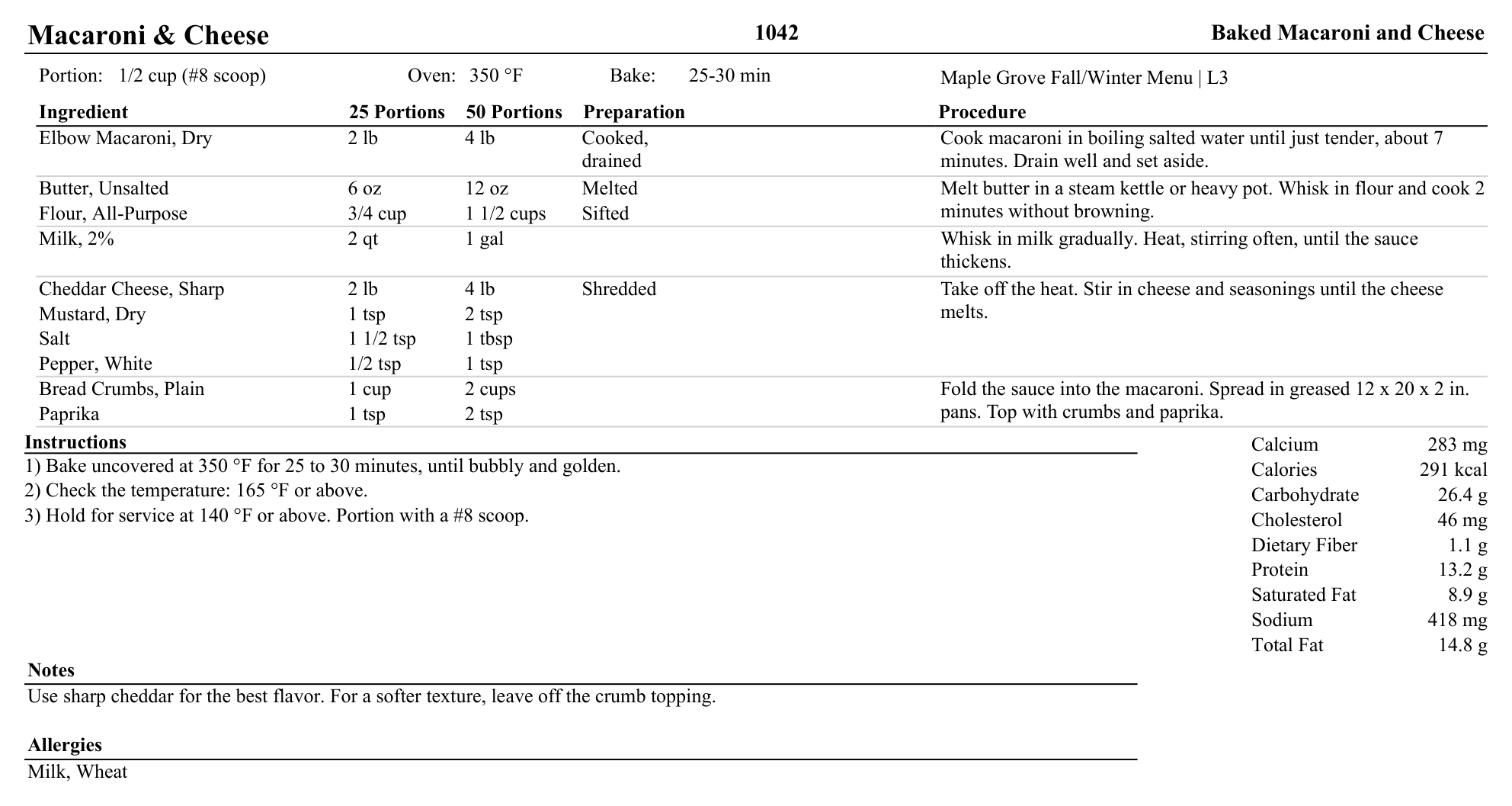
Find any recipe by name or by menu day
Printed from Dietech with a sample menu cycle.
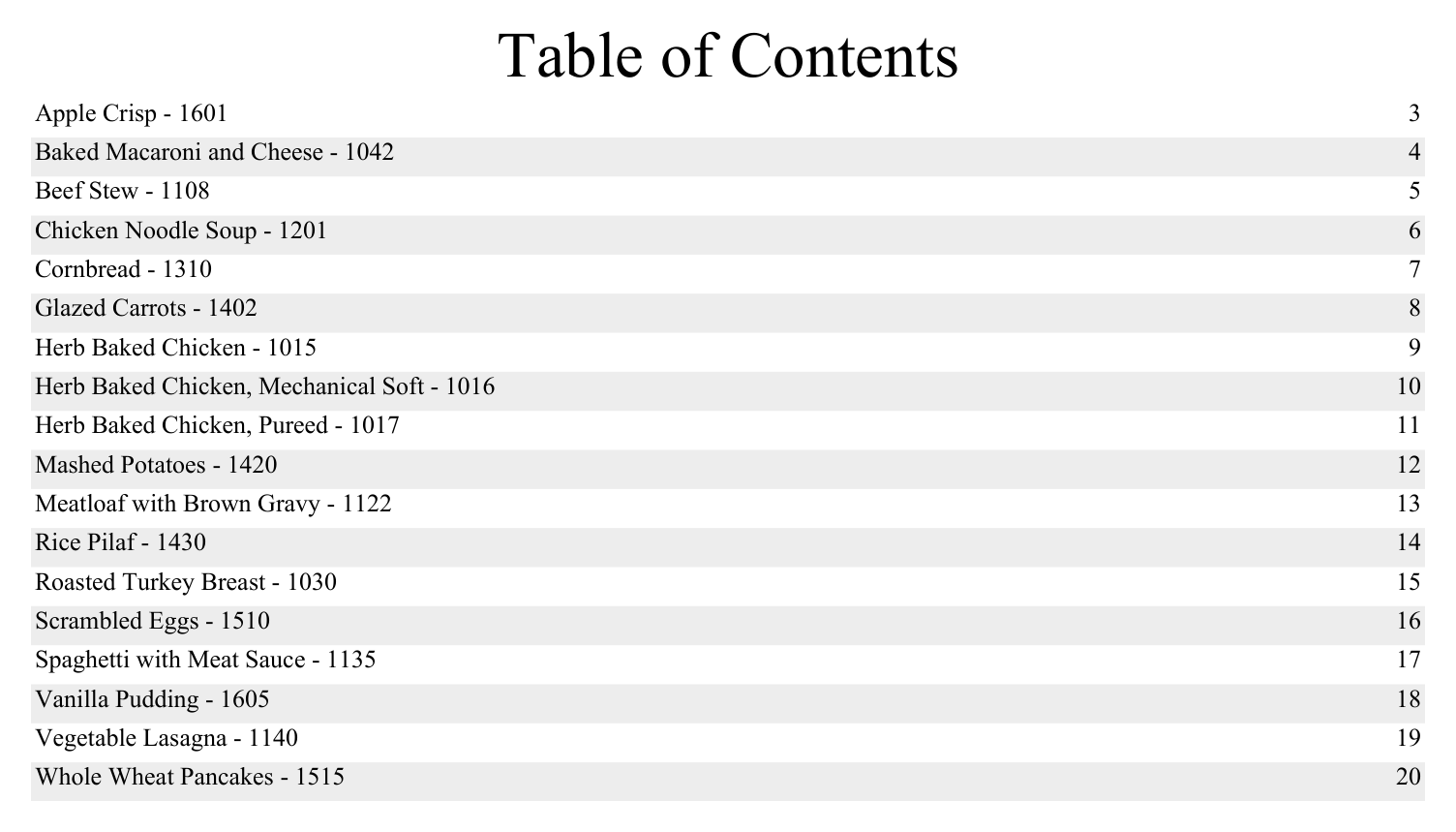
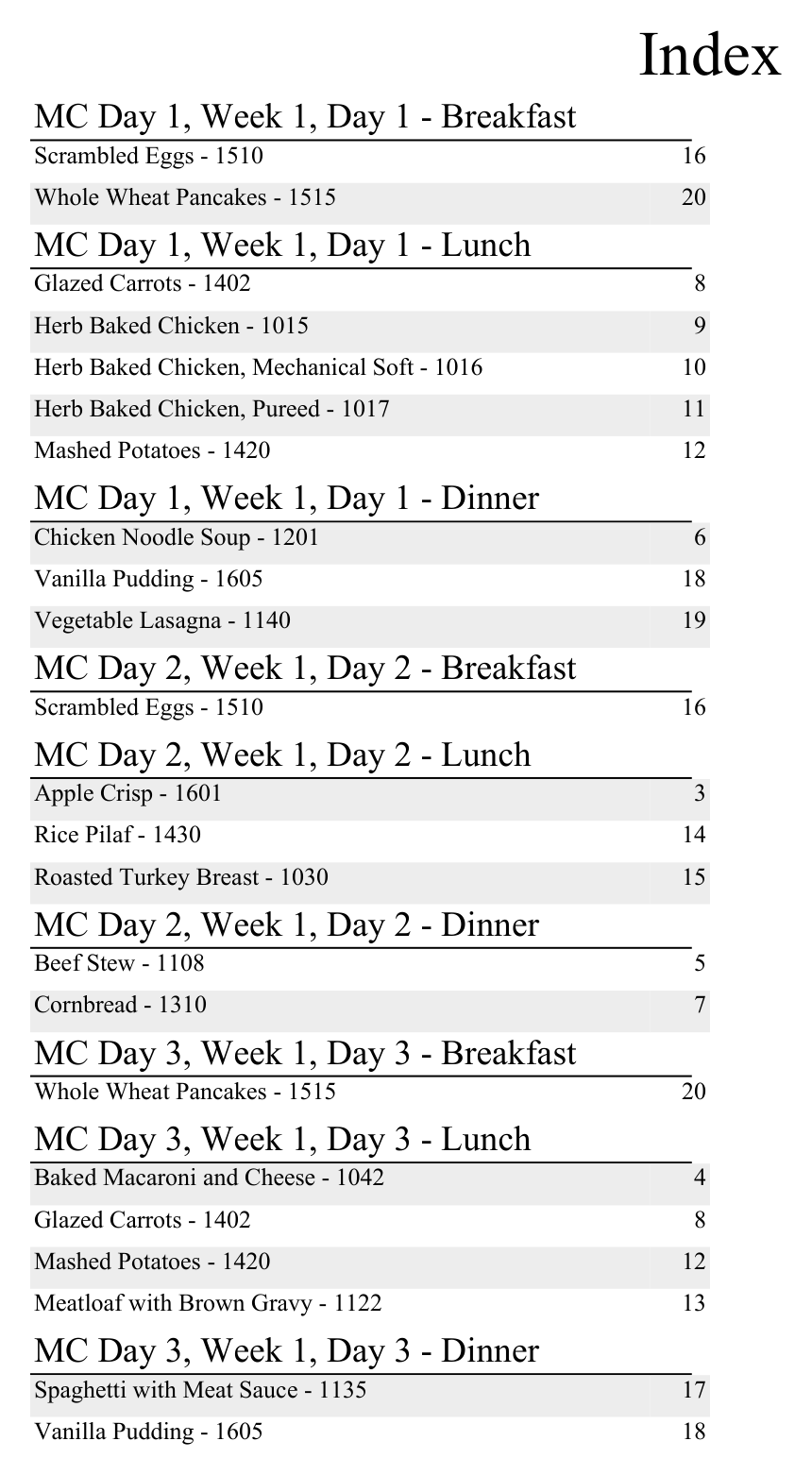
How the book is built
- 1
Pick the menu and the days
Choose a menu cycle and how many of its days to include. The book collects every recipe used on those days, for every diet and texture on the menu.
- 2
Choose the yields
Set the yields to print, for example 25 and 50 portions. Each card shows the ingredient amounts for each yield side by side, in kitchen measures.
- 3
Dietech builds the book
A recipe card for each recipe, a table of contents with page numbers, and an index by menu day and meal, so a cook can find tomorrow's lunch recipes in one place.
- 4
Print it or take it to Excel
Print the book for the kitchen, or download it to Excel. The table of contents and the index can also print on their own as plain tables, one value per cell.
What the recipe book does
Capabilities as they are implemented in Dietech today.
| Capability | How it works |
|---|---|
| Recipe cards | Portion and scoop size, oven temperature and bake time, ingredients with preparation, procedure steps, instructions and notes |
| Scaled to your yields | Ingredient amounts for each yield you choose, side by side, in kitchen measures and fractions such as 1 1/2 cups |
| Allergens on every card | The allergens of every ingredient, including ingredients of sub-recipes, plus allergy tags set on the menu items made from the recipe |
| Nutrients for the portion printed | Calories, protein, carbohydrate, fat, saturated fat, cholesterol, fiber, sodium and minerals for one portion as served |
| Sub-recipes | A sauce or base made from its own recipe names that recipe's number, so the cook can turn to it |
| Table of contents and index | Every recipe with its page number, and an index by menu cycle day and meal |
| Excel | The whole book downloads to Excel, one sheet per page. The table of contents or index alone print as plain tables that open in Excel one value per cell |
| Other recipe reports | A single Recipe Card at the recipe's own yield, Recipes for a menu cycle, a Recipe List, and Recipe Nutritional Information with a chart against the dietary reference intakes |
Frequently asked questions
What is a recipe book in Dietech?
It is a printed report that gathers the standardized recipes used on your menu cycle for the days you choose into one book: a recipe card per recipe, a table of contents and an index by day and meal. It is built from the recipes linked to your menu items, so it always matches what is on the menu.
Are the allergens on the card kept current?
Yes. The allergens are worked out when the book prints, from every ingredient in the recipe and its sub-recipes, and from the allergy tags on the menu items made from the recipe. A tag added to a menu item by hand appears on the card even when no ingredient carries it.
Can we scale recipes to our own batch sizes?
Yes. You choose the yields to print, and each card lists the ingredient amounts for each yield side by side in kitchen measures. The nutrients stay per portion, for the portion size on the card.
Can we get just the index into Excel?
Yes. Clear Recipes on the report to print only the table of contents, the index, or both, as plain tables that open in Excel with one value per cell. The full book also downloads to Excel, one sheet per page.
Related capabilities
See your own recipes as a book
We will print a recipe book from your menu cycle so your cooks can judge the cards against what they use today.